
AINSOF in Claude: what MCP is and how to connect it
Claude can talk about music all day. Connect AINSOF and it can also find the cue, play it, cut it to your length and hand you the cue sheet. What MCP means, how to set it up, and what to ask first.

Why we put our music inside your assistant
Editors and producers already plan, write and brief in their AI assistant, and stepping out to a music site breaks that flow: a new tab, a new search, then back to paste a link the assistant can't play or check. We built the AINSOF MCP server so the assistant you already use can search the music, play it and work with it inside the conversation. For us, it means one engine behind ainsof.io, the assistants and the API: a tool we add once reaches every connected assistant, and new releases show up without anyone reconnecting. What it solved is switching between apps to do one job.
What MCP is, in plain English
MCP, the Model Context Protocol, is an open standard for plugging tools into an AI assistant. On its own, Claude knows a lot about music but has nothing it can play you or license to you. A connector changes that: when your request calls for it, Claude calls the connected service, gets a real answer back and works with it in the same conversation.
The AINSOF MCP server lives at one address and gives Claude fourteen tools. They fall into four groups, and each one is described in full on ainsof.io/mcp:
search_music for a brief in plain words, search_by_reference for music in the spirit of a song you link, find_similar for more like an AINSOF cue, listen_link to hear one exact version or stem, and about_ainsof for who we are.
Videoanalyze_video measures a cut and reads what it is about, find_soundtrack picks music for a known length, score_my_video puts music on your video, and get_upload_link handles a file that lives on your computer.
Cut to timefit_to_length edits a cue to the length you need: the nearest musical length, the exact length of your video, a climax that lands on a chosen second, or a seamless loop.
Delivery and rightsget_track for every version and stem of a cue, cue_sheet for the writers and codes, deliver_score for the finished score as files, and feedback to tell us how an answer landed.
Add AINSOF to Claude, step by step
AINSOF is added to Claude as a custom connector: a name and an address. Searching and listening need no API key, no OAuth and no account.
1.Open Settings, then Connectors
In Claude desktop or on claude.ai, open Settings and choose Connectors in the sidebar.
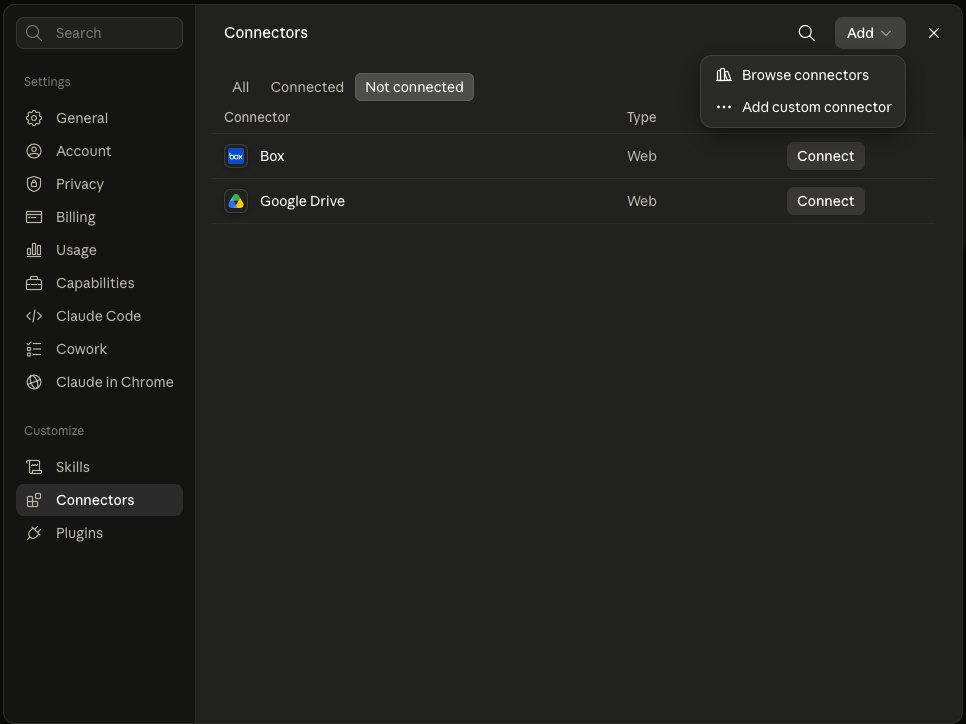
2.Choose Add custom connector
Click Add at the top right of the Connectors panel, then Add custom connector.
3.Name it AINSOF and paste the address
Type AINSOF as the name and paste the server address. Leave Advanced settings empty.
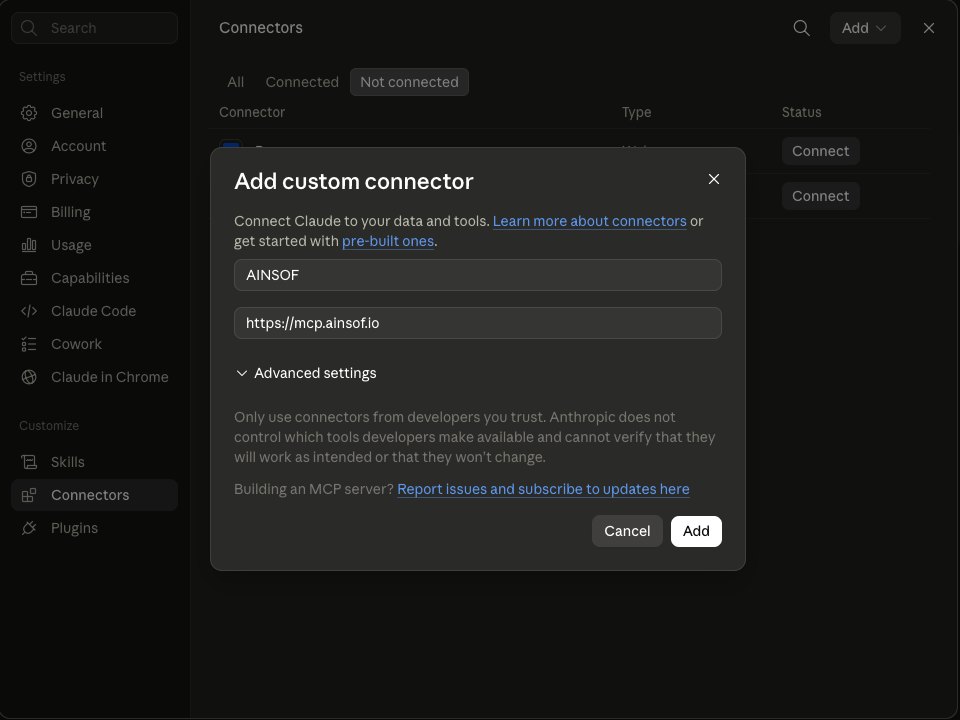
4.Click Add, then switch it on in a chat
Click Add. In any conversation, open +, then Connectors, switch AINSOF on and ask for music. On Team and Enterprise plans, an owner adds the connector once for the whole workspace.
5.Working in Claude Code? One command
Open a terminal anywhere and run:
The --scope user part makes AINSOF available in every project, not only the folder you ran it in. Run claude mcp list to check that it shows as connected, then start a session. The same command works in the VS Code and JetBrains extensions. Every client, with screenshots, is on the help page.
What to ask once it's connected
Brief Claude the way you'd brief a music supervisor: what is on screen, how long it runs, how it should feel, what to avoid. Put the length in the brief, because it changes what comes back. Everything below was run live against the AINSOF server for this article, and the results are what came back.
1.Describe the scene
Try this brief on ainsof.io
The first answer was What I Couldn't Say by Or Chausha and Itai Haim Lahav, from Under Everything, followed by Small Hope from One Window Lit and Still Not Fine. Because the brief said 60 seconds, each result came back already set to its 60-second cut, with its composers, publisher, tempo and a preview to play.
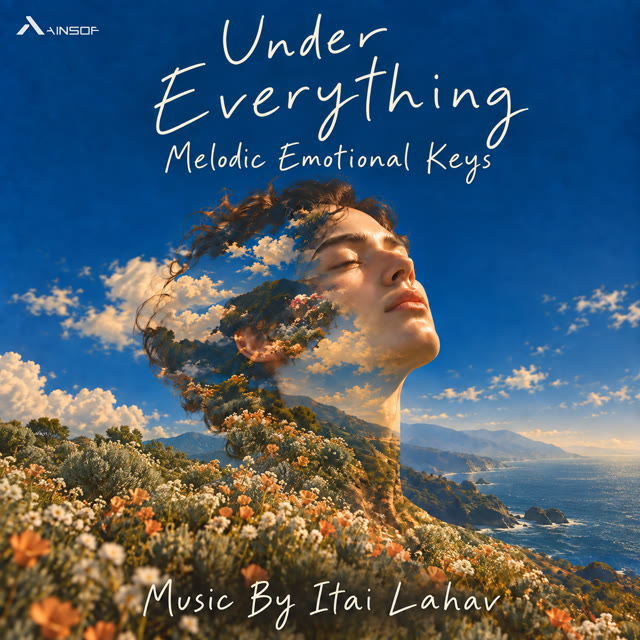

The first three results for the brief above, in the order they came back. Open one to listen.
A name works too. Pass a track title, an album, a catalog number or a composer and you get exactly that, so it's worth asking for everything Itai Haim Lahav wrote before you assume something isn't there.
2.Ask for more like the one you picked
find_similar compares cues by sound. It came back with Rooms Grow Colder, Soft Regret and Pale Comfort from the same album, and Quiet Reflections by Amit Weiner from Emotive Piano. When only one moment matters, such as the bar before the lift or the groove after the intro, give the start and end times and it matches just that passage, naming where the matching moment sits in each result.
3.Cut it to the length you need
fit_to_length edits the composer's own recording, the way an editor would. Our request came back at 20.3 seconds: the opening, 12.8 seconds of it, then a jump of whole bars into the song's real ending. Nothing stretched, nothing faded in the middle. The edit arrives as a free listen link and an MP3 at 192 kbps, kept for seven days; downloading it needs a sign-in and an active plan. Ask instead for the exact length of your video, for the climax to land on your logo at a given second, for a seamless loop, or for every stem cut at the same points.
4.Get the paperwork
cue_sheet returned the album and catalog number, the ISRC, the tempo and key (80 BPM, F major), AINSOF as publisher, and both writers with their IPI number, society and performance share. AINSOF controls the master and the publishing, so these are stated facts rather than estimates. The duration on it is the full track's; the time the cue plays in your cut comes from your timeline.
5.Start from a song you already love
Paste a YouTube, Spotify, Apple Music or Deezer link, or type the artist and title. search_by_reference finds AINSOF cues in that spirit; the original recording is never part of the answer, because it isn't ours to license. SoundCloud and TikTok links don't work for this, so give the artist and title instead. The first reply often says the search is still running; Claude simply calls again and picks up the search already in progress.
6.Hand over the video
Share a direct link to the video file, or a Dropbox or Google Drive share. YouTube, Vimeo, Dailymotion and Twitch pages won't work, and if the file is on your computer Claude can give you an upload page instead. score_my_video measures the cut, picks a track (or uses the cue you name), places it to your shots and length and sends back an MP4. Listen before you keep it; if the pick doesn't suit the film, ask for another option or name the cue you want. deliver_score then hands over the files: the scored video, each section of music as its own MP3 named with the timecode where it starts, and the cue sheet. Working with a video asks for a quick sign-in on ainsof.io, with Google or email, the first time, and downloading the files needs an active plan.
What AINSOF receives, and what it never sees
AINSOF receives only the tool calls Claude sends it: a brief, a track ID, a reference, a video link or a length. It cannot read the rest of your conversation, your files, your projects or your other connectors, and it never changes anything public.
To understand a written brief, AINSOF sends the words of the brief, and only those, to the AI services of Google and TypeSafe, never your name, email or IP address, and never a video. When a video is analysed, the stills, the speech transcript and a reduced-resolution copy are kept for 30 days so the team can review how well the tools served the edit, then deleted. Rendered videos and cut-to-time edits are deleted after seven days. Feedback is sent only when you have said yes to sending it. The details are in the privacy policy.
Listening is free, needs no sign-in and carries no watermark: every preview is the complete piece, clean, at 192 kbps. Downloading needs a sign-in and an active plan: on ainsof.io, downloads are included with a plan. A preview is for auditioning, and a cue sheet is not a license; publishing the music needs one, and the pricing page covers every kind of project.
Beyond Claude: the same connection in ChatGPT, Gemini, Grok and Cursor
MCP isn't tied to one assistant, and neither is AINSOF. The same address and the same tools work wherever MCP does:
Everything above works the same way outside Claude. ChatGPT has AINSOF as an official app: open AINSOF in ChatGPT and add it, with no address to paste. In Gemini, add it under Connected Apps as a custom app for Spark (Google currently limits this to personal accounts in the US, in English). In Grok, it's a new connector under Skills and Connectors. In Cursor, add a new MCP server under Tools & MCPs, and Replit and other MCP clients take the address the same way. Step-by-step setup for each is on ainsof.io/mcp, and developers building AINSOF into their own product can use the AINSOF API.
 Claude
 Claude Code
 ChatGPT
 Gemini
 Grok
Grok Cursor
 Replit
Every cue AINSOF returns was written, performed and produced by human composers. Nothing in the catalog is AI-generated. When the edit needs more than music, the sound effects are in the same place.
Connect AINSOF to Claude Explore the musicRelated posts:

Brief ChatGPT like a music supervisor
How to go from a scene description to music you can actually use: cut to length, placed on your video, with the cue sheet, without leaving the chat.
21 October 2026 · 5 min read
How we built an AI agent that cuts music like an editor
Ads, pre-rolls, bumpers and logo stings all need music at an exact length, and a short version has to sound as if the song was written that long. How we built an AI agent that makes our cuts, how we trained it on our own editor's corrections, and how you can ask for the same kind of cut in ChatGPT or Claude.
21 October 2026 · 7 min read
Ask your AI assistant for the cue sheet, not just the music
An AI assistant can find the music for your edit in minutes. The paperwork has to keep up. What a cue sheet holds, why it matters more when AI does the searching, and how to get one for every cue in the same conversation where you chose it.
21 October 2026 · 7 min read