

AINSOF MCP Help
The AINSOF MCP brings a licensed music catalogue into Claude, Claude Code and other LLM agents. With the connection set up in the app of your choice, you can search for music, hear it and place it directly in your chats and agent workflows — no need to switch between apps.
This guide covers how to connect AINSOF to supported AI apps, and answers common questions about versions, stems, licensing and rights.
Setting up AINSOF MCP
You can connect AINSOF to any app that supports MCP. Below are setup instructions for connecting to specific apps:
Connect to Claude
- Open Settings → Connectors in Claude desktop or on claude.ai.
- Click Add → Add custom connector.
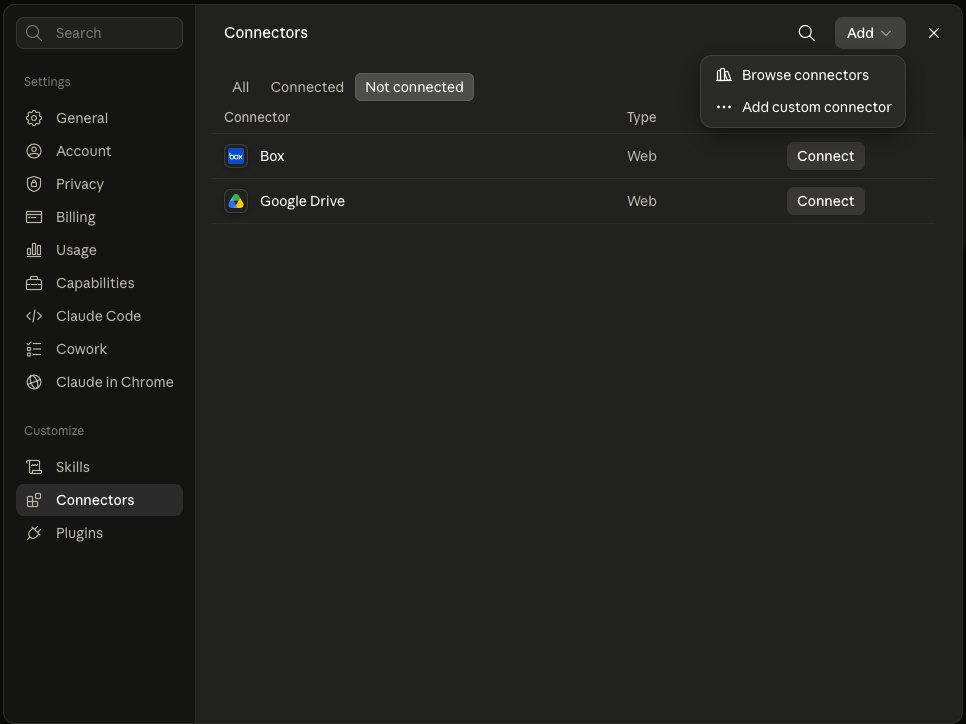
The Add menu, top right of the Connectors panel - Name it AINSOF and paste the address:
https://mcp.ainsof.io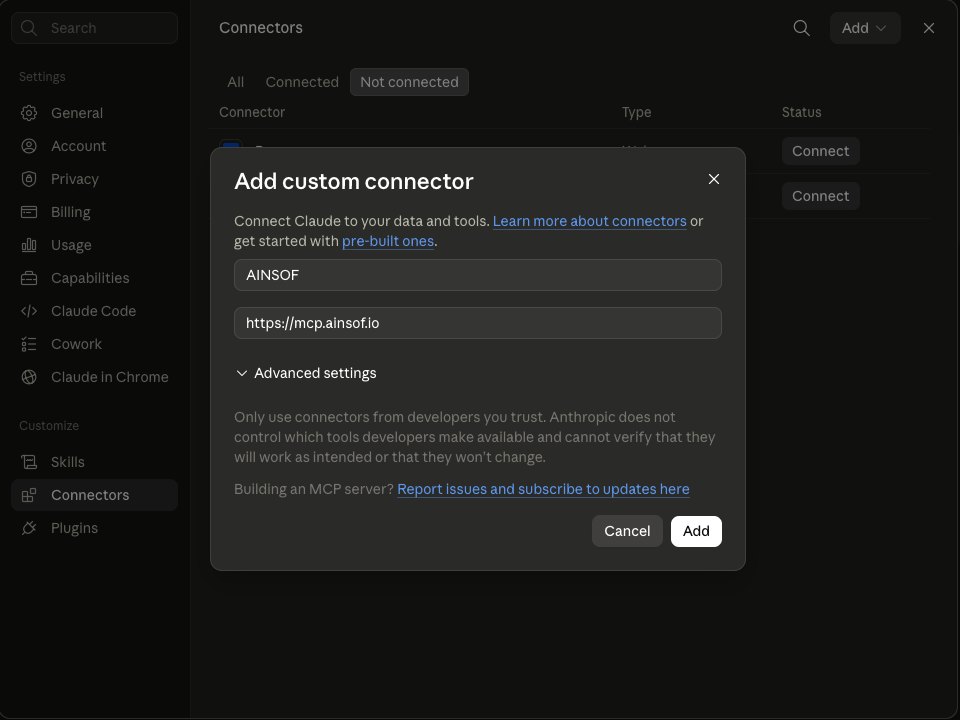
No OAuth and no key — leave Advanced settings empty - Click Add.
- In any chat, open + → Connectors and switch AINSOF on.
Available on Free, Pro and Max. On Team and Enterprise an owner adds it once for the whole workspace.
Connect to Claude Code
- Open a terminal — anywhere, the connector is global.
- Run one command:
claude mcp add --transport http --scope user ainsof https://mcp.ainsof.io - Start a session. The twelve tools are there.
--scope user makes it available in every project. Without it the
connector is registered only for the folder you ran the command in.
Verify with claude mcp list — you should see
ainsof … ✔ Connected.
The same command works in the VS Code and JetBrains extensions.
Connect to Grok
- Open Skills and Connectors in the grok.com sidebar.
- Switch to the Connectors tab, then click New Connector at the top right.
- Grok asks for a custom name and an MCP server URL. Name it AINSOF and paste the address:
https://mcp.ainsof.io - Click Add Connector. Grok checks authentication and the connector is live.
There is no key and no sign-in. The same twelve tools appear as in every other client, because they all reach the same address.
Connect to Gemini
- Click Connected Apps in the gemini.google.com sidebar.
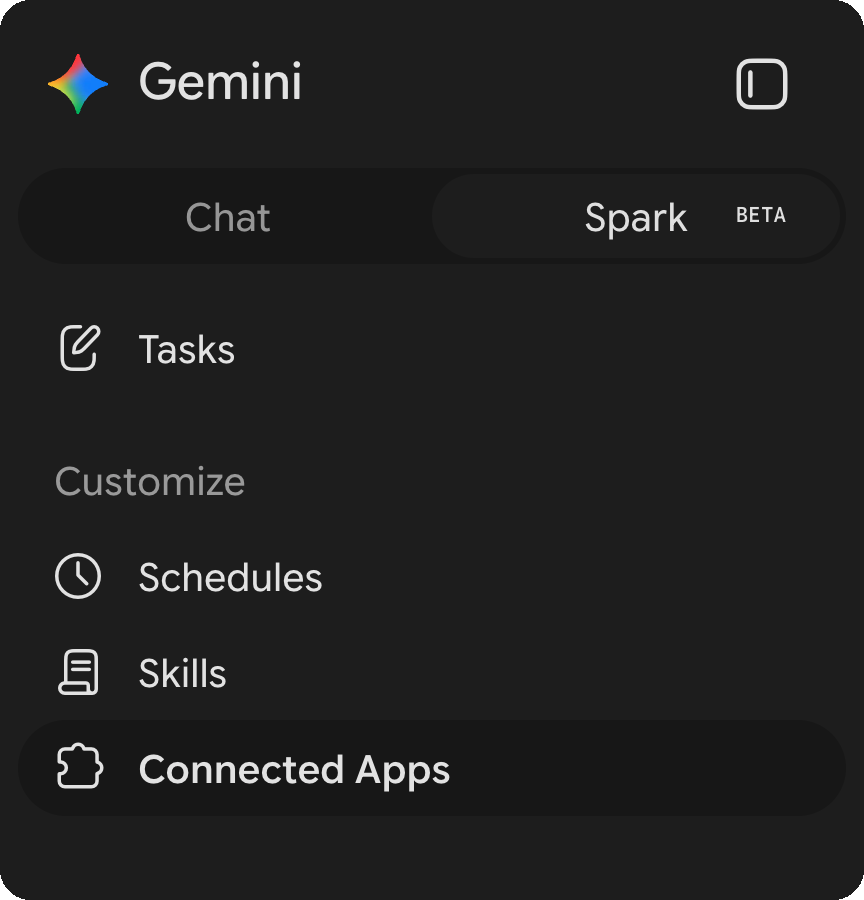
Connected Apps, under Customize in the Spark sidebar - Scroll to Custom apps for Spark.

Add a custom app link to get started - Paste the address, then Next:
https://mcp.ainsof.io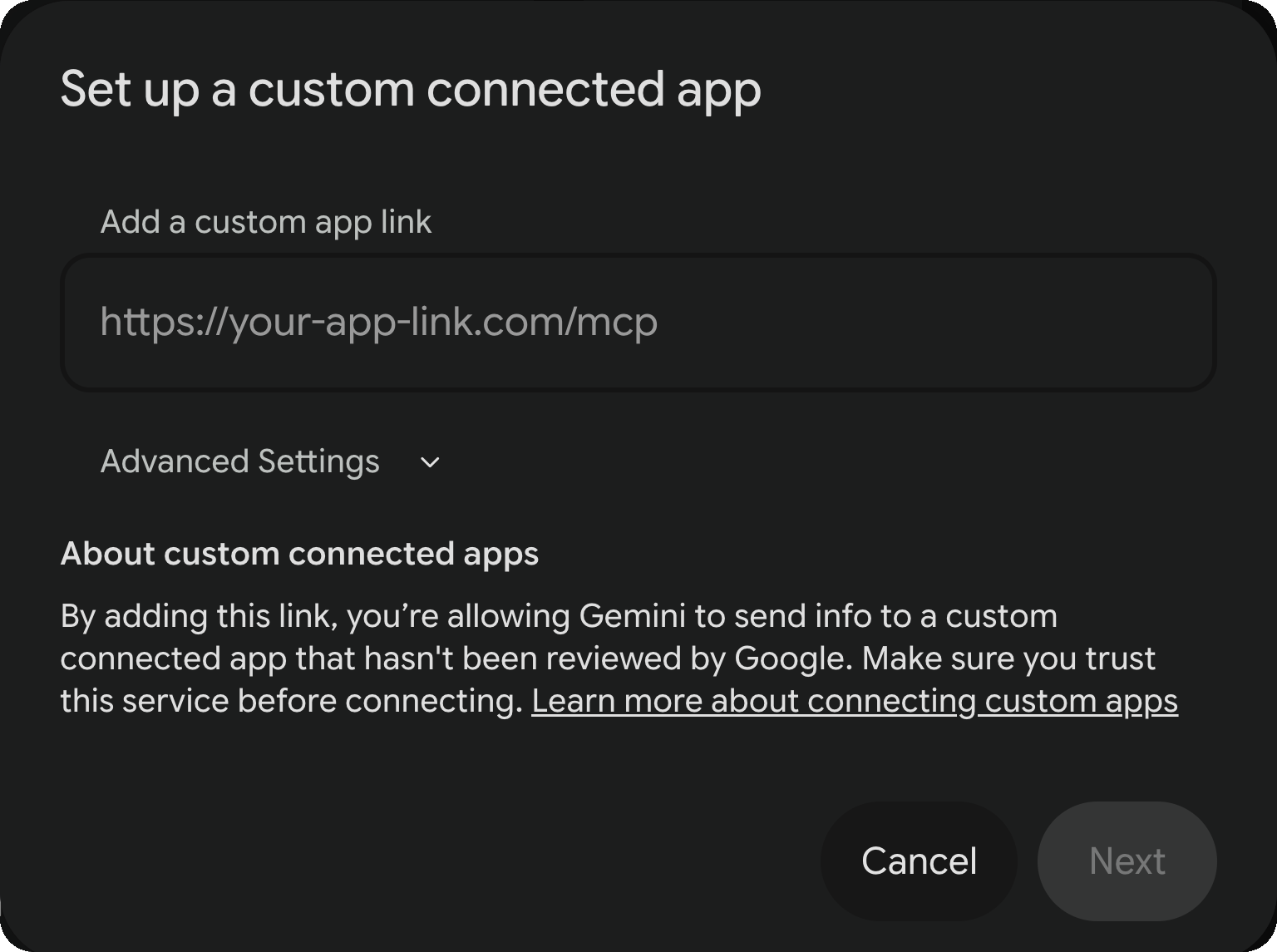
Leave Advanced Settings closed — there is no key and no sign-in - Google explains what a custom app can do. Tick I understand and accept
the security and privacy risks of connecting this custom app, then
Connect.
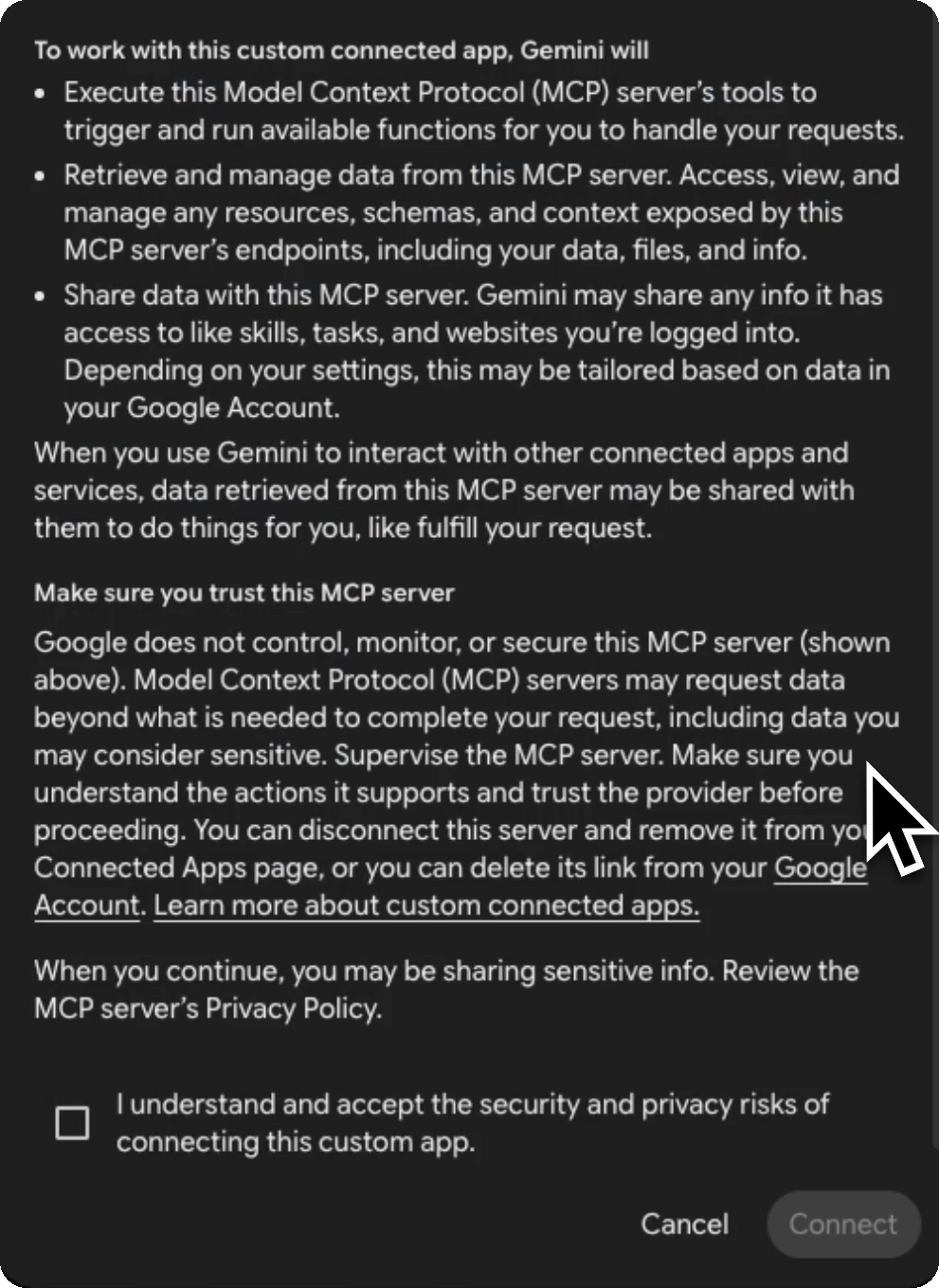
Tick the box, then Connect - Save your custom app lists what AINSOF can do. Click
Connect to finish.
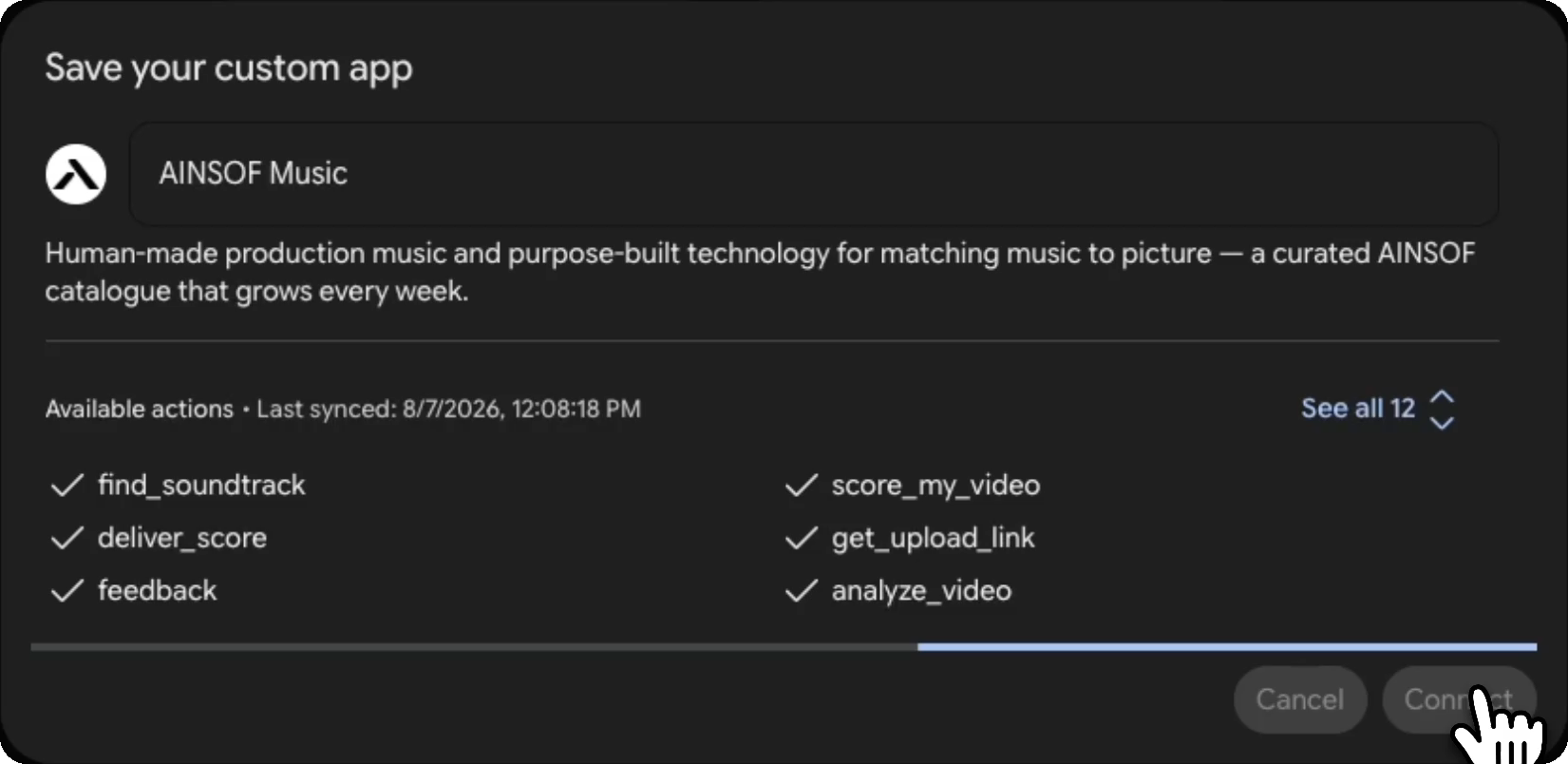
All twelve tools, listed before you commit - In a chat, call it by name — @AINSOF Music — and ask for music.
There is no key and no sign-in — leave Advanced Settings closed. Spark plans the job, calls the tools it needs and comes back with tracks, albums, composers, tempo and the cutdowns that exist.
Custom apps for Spark need a personal Google Account rather than a Workspace one, with Keep Activity on. Google currently limits the feature to the US, in English, for users 18 and over.
Connect to Cursor
Setup
- Press Cmd+Shift+J (Mac) or Ctrl+Shift+J (Windows) to open Cursor Settings.
- In the left sidebar, choose Tools & MCPs.
- Click New MCP Server — the row reads Add a Custom MCP Server.
If you have no servers yet the empty state shows a single
Add Custom MCP button instead. Either one opens
~/.cursor/mcp.json. - The file holds one
mcpServersobject. Add AINSOF inside it — a complete file with only AINSOF looks exactly like this:{ "mcpServers": { "AINSOF": { "url": "https://mcp.ainsof.io" } } }If you already have other servers, add the
"AINSOF"block beside them and keep the commas valid. - Save the file. AINSOF appears in the list with a green dot, 12 tools and 1 resource. No sign-in, no key, no OAuth.
- Make sure the toggle beside AINSOF is on, then ask for music in any chat.
Troubleshooting
- If AINSOF is not connecting, press Cmd+Shift+U (Mac) or Ctrl+Shift+U (Windows) to open MCP Logs and read the error.
- To reload it, open Tools & MCPs and click the refresh icon next to AINSOF.
Connect to ChatGPT Coming soon
Not available yet. The ChatGPT connector is still being built. Today the agent runs in Claude, Claude Code, Grok, Gemini, Cursor and Replit — and because everything arrives through one address, nothing will need reinstalling when ChatGPT is switched on.
When it is ready, connecting will look like this:
- Turn on Developer mode in ChatGPT settings.
- Go to Connectors → Add custom connector.
- Paste the address:
https://mcp.ainsof.io
Connect to any other MCP client
AINSOF is a standard remote MCP server over streamable HTTP, so anything that speaks MCP can reach it — Replit, Windsurf, Zed, Goose, or your own agent.
Most clients take a JSON block of the same shape. A complete config file with only AINSOF in it looks like this:
{
  "mcpServers": {
    "AINSOF": {
      "url": "https://mcp.ainsof.io"
    }
  }
}
If the client already lists other servers, add the "AINSOF" block
beside them rather than replacing the file.
No authentication, no key, no OAuth. If a client asks for a token, leave it blank.
AINSOF MCP FAQ
Who is this for?
Content creators — anyone cutting for YouTube, social or a client channel who needs music that is cleared and stays cleared.
Video editors — the people who need the 30-second cut, the underscore and the no-drums mix, not a track they have to fight in the timeline.
Music supervisors — send a reference, get back tracks that genuinely sound like it, with writers, splits and rights already filed.
Production companies and media teams — agencies, post houses and in-house studios delivering the same spot at six different lengths.
AI aggregators and multi-model platforms — products that route across several models and need a licensed music layer they can call rather than build. That is what the API is for.
Which versions come with every track?
Every track ships with 15, 30, 40 and 60-second cuts, so you rarely need to trim by hand.
Beyond the cutdowns, the catalogue carries alternates built for editing: underscore and music bed for dialogue and voiceover, and minus-mixes that pull a single element out — no drums, no percussion, no melody, no vocals, no guitar, no choir, no piano, no brass, no bass and no strings.
Some tracks also come as isolated groups — vocals only, guitars only, strings and brass, drums and percussion, or drones and atmospheres. Ask the agent for a track and it lists exactly what that track holds, each with its own listen link.
Can I get the stems?
Yes — every stem, for every track, so you can rebuild the track however your edit needs it.
Typical layers include drums, percussion, bass, strings, brass, guitars, piano, keys, synths, choir, melody, atmospheres, pulses, risers, hits and sound design.
Mute what fights the dialogue, raise what carries the scene, drop the drums for the first act and bring them back on the cut. Stems are included with a licence, not sold separately.
Is the music AI-generated?
No. Every track was composed, played and produced by a real composer.
Every track is owned outright and cleared for commercial use. The agent is how you find the music — it is not how the music was made.
What can the agent reach?
All twelve tools record an operational request log and are annotated as changing private first-party state. Some also create private analysis jobs, scored media, delivery archives, upload destinations, listening links, or feedback sent after explicit consent.
It cannot inspect your files, conversations, projects or other connectors, and it never changes publicly visible internet state. It receives only what you explicitly send — a brief, video, video length, public or authorized reference, or track ID.
Do I need an account or an API key?
No. Paste the address and search. Nothing to sign up for and nothing to install.
A key matters at one point only: when a licence is settled and your downloads switch from watermarked previews to clean masters.
What does the watermark mean?
Every preview is the complete track — start to finish, with an audible watermark. Not a thirty-second teaser.
Every version and every stem is free to download in watermarked form, with no limit. Take the 30-second cut, the underscore, the no-drums mix and four separate stems, lay them all against picture, and find out which one actually sits in your project — before you pay anything.
Auditioning is not a trial. It is how the catalogue is meant to be used. A licence is what removes the watermark, not what unlocks the file.
Can I send a YouTube, Spotify, Apple Music or Deezer link?
Yes. Paste a link and the agent resolves the recording through public or authorised metadata, then compares a permitted preview clip by sound — tempo, instrumentation, texture and energy — and returns the tracks that sound closest to it.
It compares permitted preview audio rather than matching only on tags. SoundCloud is unsupported because it exposes no permitted preview clip, and TikTok metadata identifies the post caption rather than the recording; provide the artist and title instead.
Do you offer an API?
Yes. The MCP server is one way in; a direct API is the other, for teams building AINSOF into their own product.
It is the same catalogue and the same capabilities — semantic search, reference matching, the fit-to-length logic, every version and every stem — reachable from your own stack instead of from a chat window.
If you are building a video tool, an editing platform or an agent that needs licensed music, write to info@ainsof.io and we will scope it with you.
How does licensing work?
Anything online is covered. Web, social, YouTube, client presentations — worldwide, with no expiry on what you published while licensed.
Broadcast, cinema, trailers, paid advertising and games sit outside that. They depend on reach, territory and term, so we quote them per project rather than list a price.
Tell us what you are making at info@ainsof.io and you will have a number quickly.
What about copyright and PROs?
Every work is registered and administered through the performing rights organisations, with writers, publishers and splits filed correctly.
That is the point of a catalogue that was actually written by people and is actually owned: the paperwork exists, the rights are traceable, and nothing you licence rests on an assumption.