
Add AI music search and editing to your product, with music by real composers
What developers and AI product teams can build with the AINSOF API: search by brief or reference, cut to time, score a video and pull the credits, from your own app or your own AI agent. How to make your first call in a few minutes, and how access and licensing work.

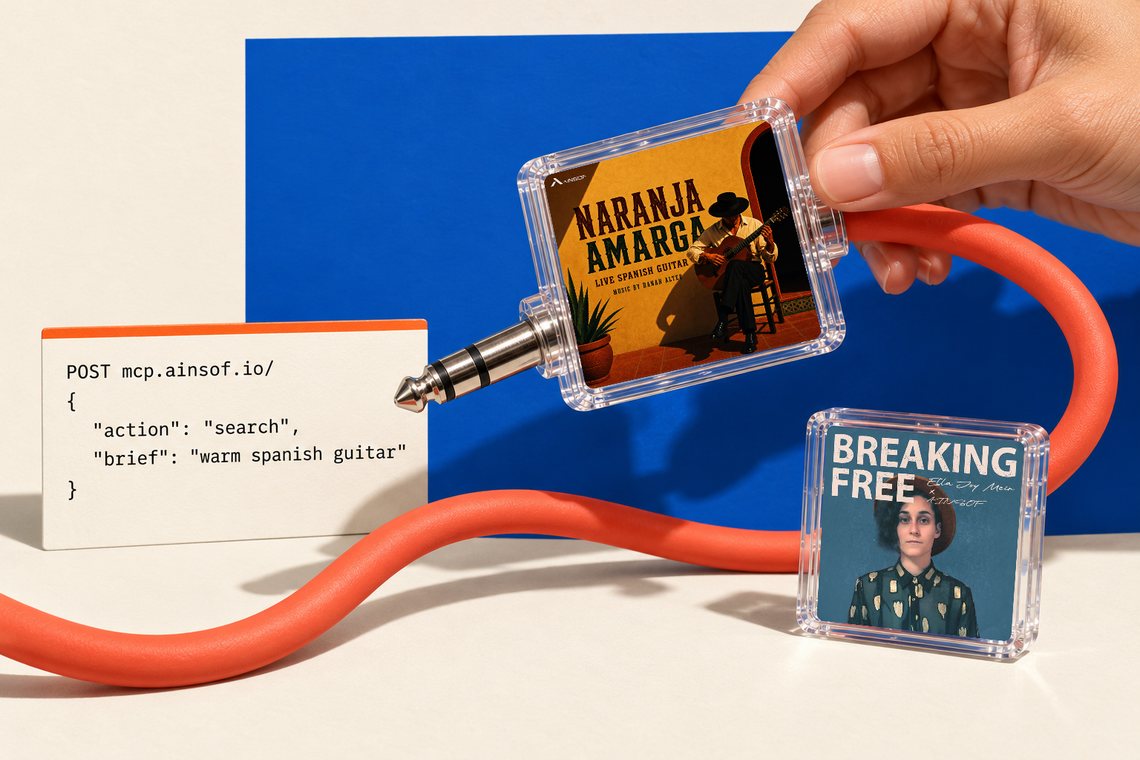
Why we built an API
Without an API, a product that needs music has to send its users somewhere else to find it, and they come back with a file but not the credits. We built the AINSOF API so the tools that run ainsof.io can run inside your product instead: your users describe a brief, hear the music, fit it to their edit and get the cue sheet without leaving your app. For us, it means one address and one engine: REST for your code and MCP for your AI agent run the same code and return the same answers, so a tool we add once is there for the site, the assistants and developers alike. What it solved is music, edits and paperwork living in separate places.
What is the AINSOF API?
The AINSOF API lets you search AINSOF music, hear it, cut it to time, score a video with it and carry its credits with it, from inside your own app, editor or platform. Every cue is written, performed and produced by human composers. Nothing in the catalog is AI-generated; the AI is in the tools that help you find and shape the music.
There is one address, https://mcp.ainsof.io/, and it answers two ways. Send JSON with an action and you are using REST. Connect an AI assistant and the same tools appear over MCP. Both run the same code and return the same answers. Everything the API plays is clean 192 kbps audio, made for auditioning and cutting.
What can you build with it?
These are the building blocks, each one a single REST action. The results quoted below are what came back when we ran the requests on 21 October 2026; the docs cover every field.
1.Search by brief
Let people describe what the scene needs, the way they would brief a music supervisor: a mood, a place, a pace. The search action takes that brief and returns matching cues, best first. The same action also looks music up by its exact title, album, album code, track id, ISRC or composer.
That brief is the first example in the Get started guide. We sent it and got three evaluated matches, all by Hanan Alter: Azahar and Sobremesa from Naranja Amarga, and Hidden Petals from Heartwood:
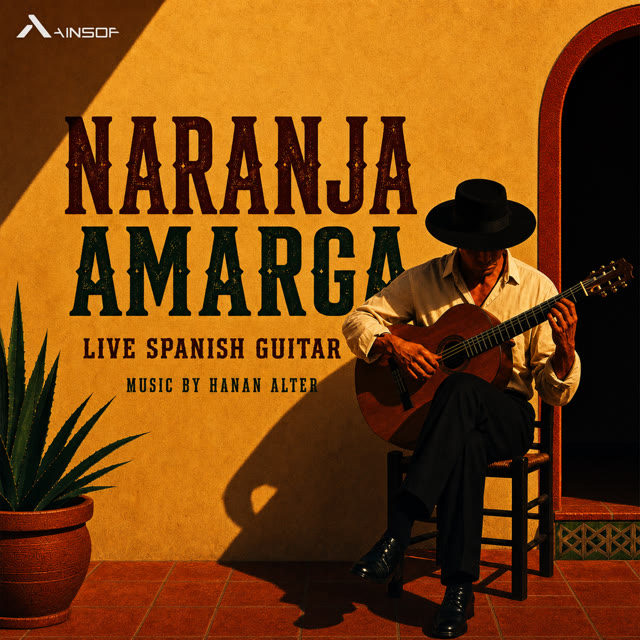
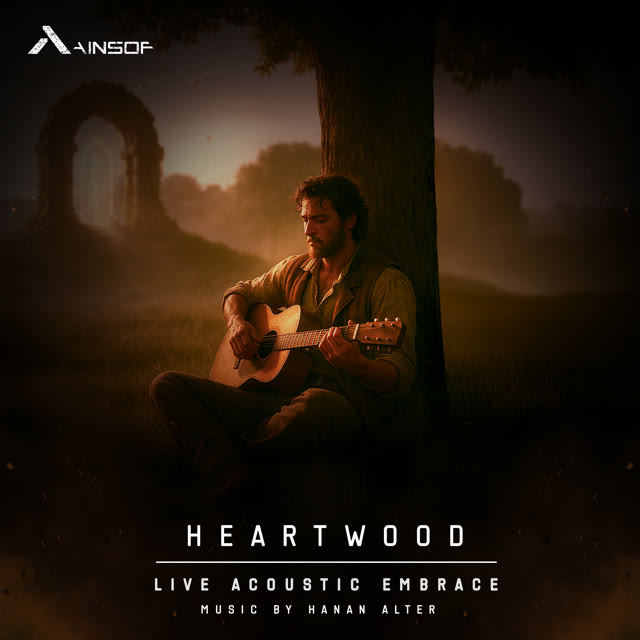
The three cues the search above returned, in the order it returned them. Open one to listen.
Each result arrives ready to show in your interface: title, album and cover, the composers with their society and IPI, the publisher, style, moods, tempo, length, a written description, a player link and a direct preview link, plus a list of the other versions and stems that cue has. Azahar, for example, listed 15, 30, 40 and 60 second cuts and three stems.
2.Search by reference
Clients often start with a song they already love. Send a YouTube, Spotify, Apple Music or Deezer link, or just the artist and title, and the reference search returns AINSOF tracks in that spirit. They are original music from the AINSOF catalog, never the reference recording. The first reply may say the search is still running; send the identical request again and it continues.
3.Tracks like this
Let someone mark the moment they love in a cue, like the hook or the quiet bar before the drop, and hear more like it. The similar action takes a track and an optional passage of 5 to 60 seconds, and returns tracks that share that sound, with the closest passage marked in each.
Each match comes back with its closest passage marked, so your interface can start playback right at the matching moment.
4.Music for a video
Give the soundtrack action a video's length and what it shows, and get up to three tracks, each with the version that fits that duration.
We ran that example from the docs. It offered Signs by Or Chausha and Liron Linker, Little Steps, Big Skies by Tom Goldstein, and Let's Make It Happen by Alon Peretz, each as its ready-made 30-second cut.
To go further, analyze_video reads a video without changing it: length, frame rate, audio, shots and pace. score_video takes a video link and returns an MP4 with a track it picked placed on the real cuts and mixed under any dialogue. Let the person listen and choose; they can ask for another option or name the cue they want. Then deliver_score hands over the files: the scored video, audio sections named by timecode and the cue sheet. For a file on someone's own computer, get_upload_link gives a one-time upload address. The video actions need a signed-in person, and a key created on ainsof.io counts as one.
5.Cut to any length
Fifteen seconds for a pre-roll, a loop for a game menu, a track that lands its peak on the logo. The fit action takes any cue and a length from 1 to 300 seconds and returns the same track at the nearest musical length: its own opening, whole bars joined where both sides sound alike, and its real ending. Never stretched, never faded mid-phrase. Add kind "video" to end exactly with the picture, kind "loop" for a seamless loop, or hit_at to land the peak on a chosen second. Stems can be cut at the same points.
We asked for a 15-second Smiles Ahead. It came back at 16.4 seconds, as a 192 kbps MP3, and the response explained the edit in one line: "The opening (10.1s), then a jump of 48 whole bars into the song's real ending." Listening to an edit needs nothing; downloading it needs a signed-in account with an active plan. Edits are kept for seven days.
6.Credits and cue sheets
Music that goes to broadcast needs paperwork. The track action returns one cue in full, with every version and stem and its own preview link, and the cue_sheet action returns the credits plus a plain-text cue sheet ready to paste into delivery documents.
For Smiles Ahead it returned the ISRC, 120 BPM in C major, a length of 144 seconds, the publisher, and the writer Alon Peretz with his IPI, society (PRS) and performance share. AINSOF controls master and publishing, so these are facts, not guesses. A cue sheet identifies the music; it is not a license.
7.Give an AI agent the same tools
If your product runs on an AI assistant, connect it over MCP at the same address and it gets the same tools: search_music, search_by_reference, find_similar, listen_link, analyze_video, find_soundtrack, score_my_video, get_upload_link, fit_to_length, get_track, cue_sheet, deliver_score and feedback, plus about_ainsof, the one tool that exists only over MCP. In Claude Code it is one line, from the MCP guide:
It works with Claude, ChatGPT, Grok, Gemini, Cursor and other MCP clients. Setup for each one is on ainsof.io/mcp.
How do you make your first call?
The Get started guide takes you from a key to your first track in a few minutes:
- Create a key. Sign in at ainsof.io/account/api-keys with Google or email and choose Create new key. The key starts with ain_ and is shown once, so copy it somewhere safe and keep it in an environment variable on your server.
- Search. POST JSON to https://mcp.ainsof.io/ with an action, and send the key as a bearer token.
- Open a track. Take a track_id from the results and ask for everything about it: every version and every stem, each with its own preview link.
- Repeat while it runs. Searches, renders and edits wait up to 20 seconds. If a job is not done, you get 202 with "still_running"; send the identical request again and it picks up the same job.
-H "Content-Type: application/json" \
-H "Authorization: Bearer $AINSOF_API_KEY" \
-d '{"action": "search", "brief": "warm acoustic guitar, hopeful, no vocals", "top_k": 3}'
Keep the key on your server. Never put it in a web page, a mobile app bundle or a public repository; call the API from your backend and pass the results on. The API reference has every action, field and error, with samples in cURL, Python and JavaScript.
Do you need a key?
No. Every action can be called without a key, and anonymous calls get 300 successful requests per rolling 24 hours, counted per network address. That is enough to see whether AINSOF fits your product before you sign up for anything.
A free key, created after signing in, raises that to 1,000 successful requests a day per key, counts usage to you alone, and keeps your renders and edits private to your key. It also removes the extra sign-in step on the video actions. The Free plan on the API page is $0 a month and needs no credit card. An account can hold up to five active keys, and you can name them, see their usage and revoke them on your keys page.
Only successful requests count; errors and still-running replies do not. Over the limit you get 429 with "rate_limited". The details are in Limits and Authentication.
What a free key does not cover
A key is not a license. The Free plan is for building and auditioning: you can search and audition all AINSOF music, hear full tracks, versions and stems in clean MP3 192, and get credits and cue sheets for every track. It does not include a license to publish or release the music, or to use it in advertising, broadcast or cinema. Most API answers carry a licensing object that says the same thing in plain words, so your users see it too.
How do you take it live?
When your product is ready to put AINSOF music in front of an audience, write to info@ainsof.io. For brands, agencies and companies putting AINSOF music into their content and products, the license and terms are made for your use: advertising, broadcast, cinema, online and social; clean files at full quality with every version and stem; master and publishing cleared in one license; limits set for your product; and one contact for licensing and support.
On the pricing page, API access sits on the Enterprise plan, alongside team accounts, apps and games, and terms agreed in writing. Because AINSOF controls master and publishing, one agreement covers both.
With the AINSOF API, your users brief the music, hear it, cut it to their edit and get the credits without leaving your product, and every cue they hear was written, performed and produced by human composers. Start with a free key, and read the docs when you are ready to build.
Get your free API key Read the docsRelated posts:
Brief ChatGPT like a music supervisor
How to go from a scene description to music you can actually use: cut to length, placed on your video, with the cue sheet, without leaving the chat.
21 October 2026 · 5 min read
AINSOF in Claude: what MCP is and how to connect it
Claude can talk about music all day. Connect AINSOF and it can also find the cue, play it, cut it to your length and hand you the cue sheet. What MCP means, how to set it up, and what to ask first.
21 October 2026 · 8 min read
How we built an AI agent that cuts music like an editor
Ads, pre-rolls, bumpers and logo stings all need music at an exact length, and a short version has to sound as if the song was written that long. How we built an AI agent that makes our cuts, how we trained it on our own editor's corrections, and how you can ask for the same kind of cut in ChatGPT or Claude.
21 October 2026 · 7 min read